
OpenClaw plugin · multi-role orchestration
Coordinate a virtual software team without losing visibility.
TeamClaw turns OpenClaw into a coordinated product, architecture, development, QA, release, and operations workflow — with kickoff planning for complex work, task routing, Git-backed collaboration, model-backed execution, and controller + desktop UI surfaces built for clear handoffs.
Follow the controller view, role handoffs, and completed delivery paths below.
Single, distributed, process, and docker setups
Controller overview
Team workspace
Model-backed workflow
API task flow
End-to-end completion
Calc CLI run
GitHub Releases · npm workflow · ClawHub package catalog
Inside TeamClaw
See the interface, handoffs, and finished flows in one place.
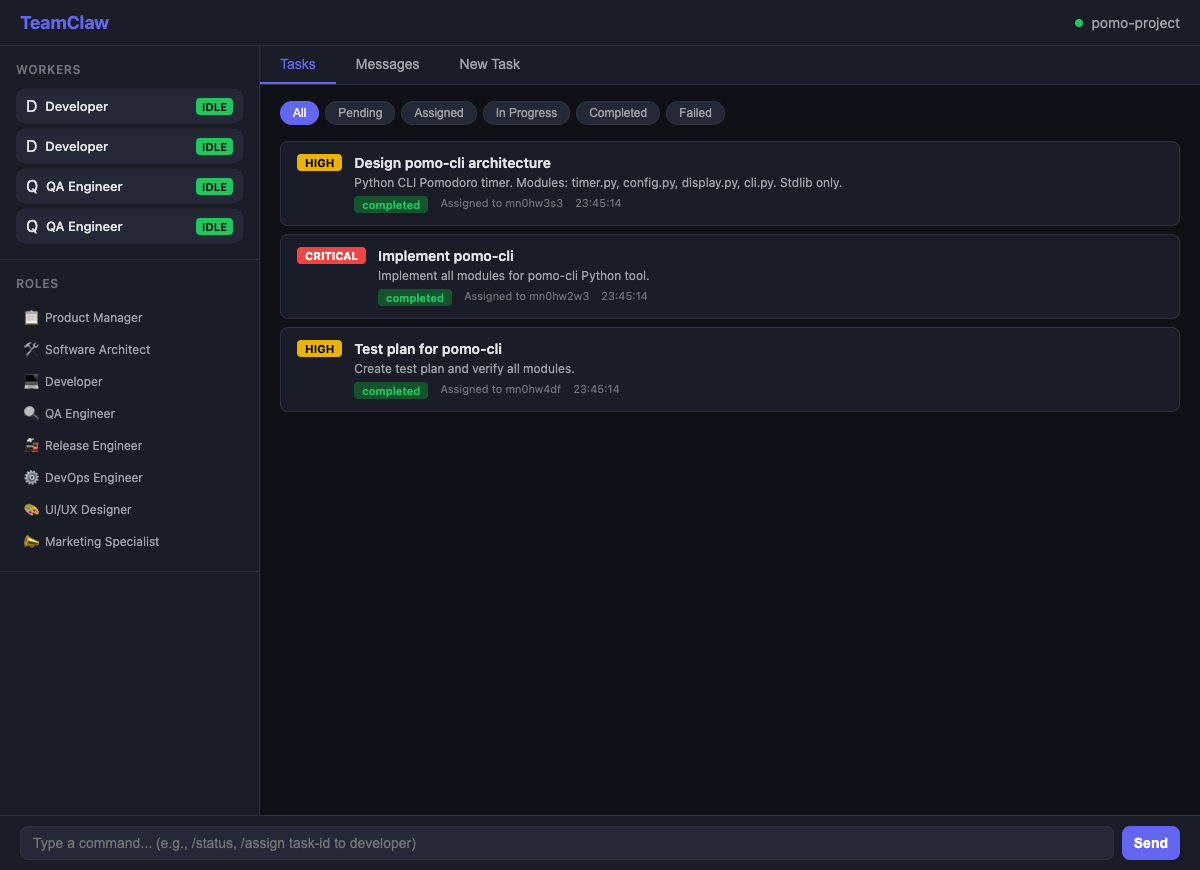
TeamClaw keeps active roles, task progression, and completed delivery paths visible so you can follow what is happening without stitching state together from prompts and logs.
Controller visibility
A clean task board that stays readable while work moves across roles.
Worker inventory, task history, and completion state stay in one place so you can follow progress without guessing where work slowed down.
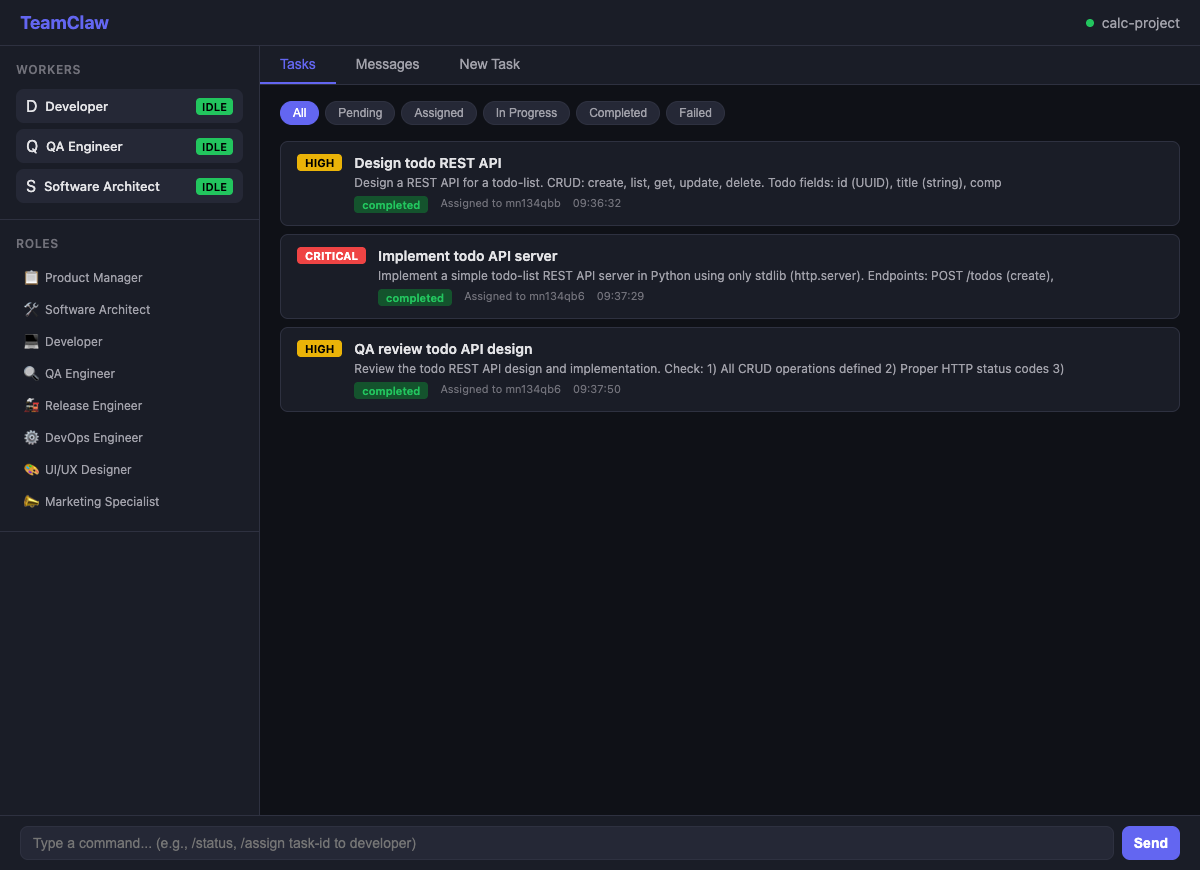
Architect, developer, and QA roles collaborating on an API task.
One request can move across architecture, implementation, and QA while the current state stays easy to inspect.
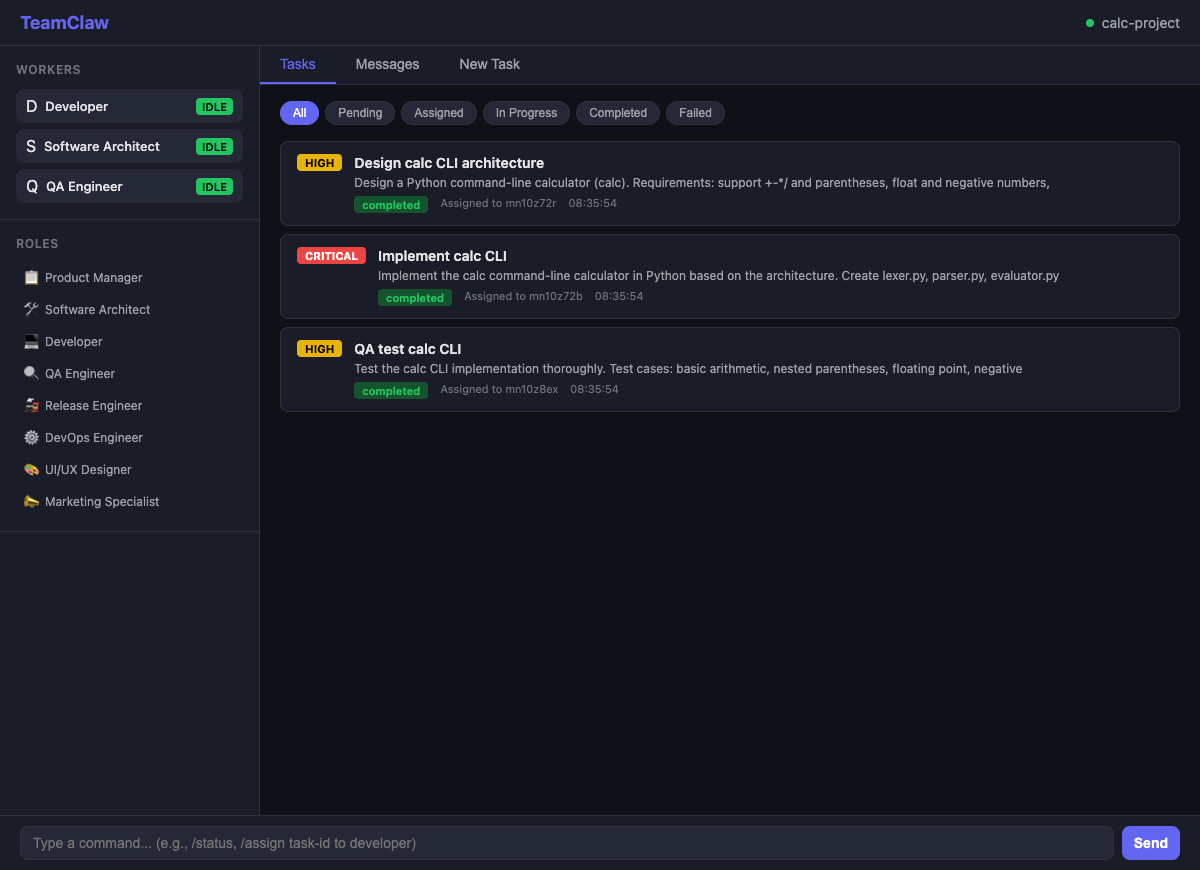
From architecture to implementation to QA, visibly finished.
TeamClaw is built for end-to-end handoffs, with each stage leaving a clear trail for the next one.
Deployment range
Start simple. Scale into isolation only when it helps.
TeamClaw starts well on one host with dynamic process workers, then grows into external, Docker, and Kubernetes worker topologies without abandoning the same delivery model.
Process provisioning is the fastest path to first value.
Start with one controller and on-demand same-host workers, then expand only when you need harder isolation.
On-demand process workers
Shared workspace
Live UI
External workers
Register dedicated worker nodes across machines while preserving one visible controller-led flow.
Process provisioning
Launch workers on demand as child processes for fast isolation on one host.
Docker provisioning
Run on-demand container workers with the published TeamClaw runtime image.
Kubernetes provisioning
Provision worker pods with Helm-compatible config, image propagation, and shared workspace support.
Product shape
A clearer delivery model than “just ask one agent.”
TeamClaw is opinionated about visibility, role boundaries, and handoff quality because those are what keep multi-step delivery understandable.
Planning, routing, and controller visibility.
Kickoff planning runs, task assignment, clarifications, worker state, and completion history stay observable instead of disappearing into a single long prompt.
Multi-role handoff.
Product, architecture, development, QA, release, security, and operations work as one delivery chain instead of disconnected prompts.
Release-aware product surface.
GitHub Releases, npm packaging, ClawHub package publishing, desktop installers, and a setup skill are part of the shipping story.
Git-backed collaboration.
Repo sync, workspace isolation, and publish flows are handled as first-class product behavior.
Model-backed workflows.
Built for OpenClaw model configurations across kickoff planning, implementation, QA, release, and ops work.
Install
Choose the path that matches how close you are to “first useful run.”
Use the guided installer if you're just getting started. Use npm or ClawHub package install if you're already comfortable shaping your OpenClaw environment and want direct control.
The published runtime image already includes the pieces needed for containerized TeamClaw workers and ClawHub skill discovery.
Guided installer
npx -y @teamclaws/teamclaw installInstall from npm
openclaw plugins install --dangerously-force-unsafe-install @teamclaws/teamclawInstall from ClawHub
openclaw plugins install --dangerously-force-unsafe-install clawhub:@teamclaws/teamclawStarter controller config
{
  "mode": "controller",
  "processModel": "multi",
  "port": 9527,
  "teamName": "my-team",
  "gitEnabled": true,
  "taskTimeoutMs": 1800000,
  "workerProvisioningType": "process",
  "workerProvisioningRoles": [],
  "workerProvisioningMaxPerRole": 10
}
Ready to try it
Use TeamClaw when you want orchestration that keeps handoffs visible.
The runtime image, release line, ClawHub package, desktop client, and setup skill are already available, so you can get from install to a working team without stitching together the basics yourself.